Everything in its place.
Nothing locked in.
Mix video, text, images and audio on any layer. Trim, split, freeze and rearrange with multi-clip selection.
 cutline.
Download
cutline.
Download
An open-source editing studio for your next big idea.
Layer, animate and make it yours. No subscription required.
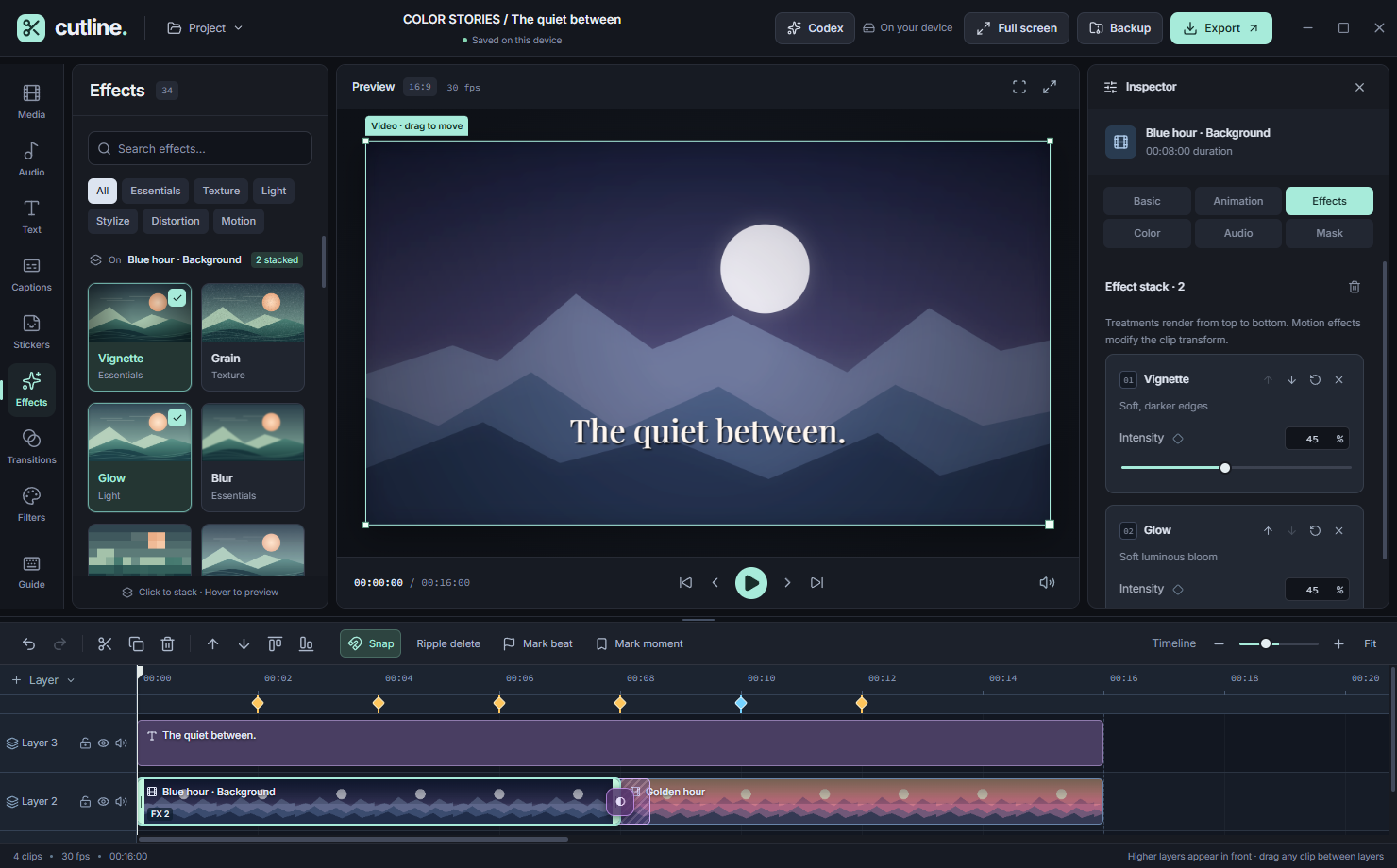
A flexible timeline. A preview that feels like your canvas.
01 / 07Interface screenshots from example projects. Click Expand for a closer look.
FROM FIRST CUT TO FINAL FRAME
Keep the everyday tools close.
Go deeper when your idea needs it.
Mix video, text, images and audio on any layer. Trim, split, freeze and rearrange with multi-clip selection.
Animate letters, words or lines. Tune reveal order, stagger, direction and bounce. Stack entrance, exit and loops, then save your own presets.
Shape shadows, midtones and highlights with color wheels and curves. Add masks, chroma key, effects and real two-clip transitions.
A LITTLE LESS MANUAL
Local analysis for the repetitive work.
You stay in charge of the edit.
Detect hard cuts, review each suggestion, then split the clip or add scene markers. Adjustable sensitivity. One-step undo.
Analyze audio locally, review detected beats and place timeline markers. Add your own markers for the moments that matter.
Connect Codex or a custom API such as 9Router. Choose your model and give precise editing instructions with permitted image and local analysis context.
Scene and beat analysis run on your device. AI editing is optional. Codex uses your account limits; custom APIs may charge and receive the context you choose to share. Audio context uses speech and rhythm analysis, not native audio hearing.
YOURS. REALLY.
No export watermark. No paid effect packs. No required editor account.
Cutline’s core is free and open source under the MIT license.
Get Cutline 0.8.8. Custom gradient backgrounds and Whisper captions that fit your style.
Windows 10 / 11, x64. The current build is unsigned; Windows may show a SmartScreen warning. Only download from this page or the official GitHub release.
Yes. Core editing, effects and exports are free and watermark-free. Optional Codex editing uses your account limits; custom API providers may charge. Cutline does not sell a subscription.
Regular editing and exporting run locally. Subtitle and object-detection models need a one-time download. After downloading, those models run on your device. Codex and remote APIs need internet; a configured local API can run offline.
Cutline uses local Whisper transcription with downloadable model sizes. Larger models need more memory and processing time. Choose 1–20 words per caption line, then review the generated subtitles before exporting. Shorter captions from Large use estimated timing within its segments.
The Windows app writes encoded video to disk in small chunks instead of keeping the complete export in RAM. Choose a destination before rendering; the finished video replaces it only after validation succeeds. Browser downloads still use RAM. Source decoding, effects and codecs still need memory, so this is not a guarantee for every long project or PC.
It is designed for hard cuts. Sensitivity and minimum shot length are adjustable, and every suggested cut can be reviewed. Gradual dissolves or very brief shots may be missed.
Cutline is an actively developed desktop editor, not a promise of feature parity with every commercial suite. Test a short export before a large project. The current color pipeline is not a professional HDR finishing workflow.
Yes. The Windows app reads available installed fonts. Choose Graphite, Midnight, Forest or Light for your workspace, including its top bar.